West Side Story’s Anybodys: Tony Kushner and iris menas on the 2021 movie’s trans character. When Tony Kushner, Steven Spielberg, and actor iris menas reexamined the 64-year-old musical, they found a trans character in plain sight.
Geekery
Whatever I’m geeking out about at the time.
I am pleased to see that we have differences. May we together become greater than the sum of both of us.
— Surak, in “The Savage Curtain“, summarizing the philosophy of IDIC
Preparing for My New Office
Got myself a little “congrats on the new job and your first actual office” present to go on a bookshelf or my desk (y’know, once we’re moved in and I actually have furniture…right now, it’s just a bare office). 🖖
I’ve been eyeballing Eaglemoss’s Star Trek model ships line for a long time. I don’t have the funds or space to do the “collect the whole set” subscription, so I’m glad they also sell them individually so I could get this.
“NCC-1701. No bloody A, B, C, or D.”


Good update to a classic track: It’s Raining Them (hallelujah!).
When one of the most effective and frightening villains of 1980s-era Trek is a collective without individuals, it’s not surprising that an inability to look beyond the individual to act in the interests of the common good is our biggest real-world barrier to dealing with Covid.
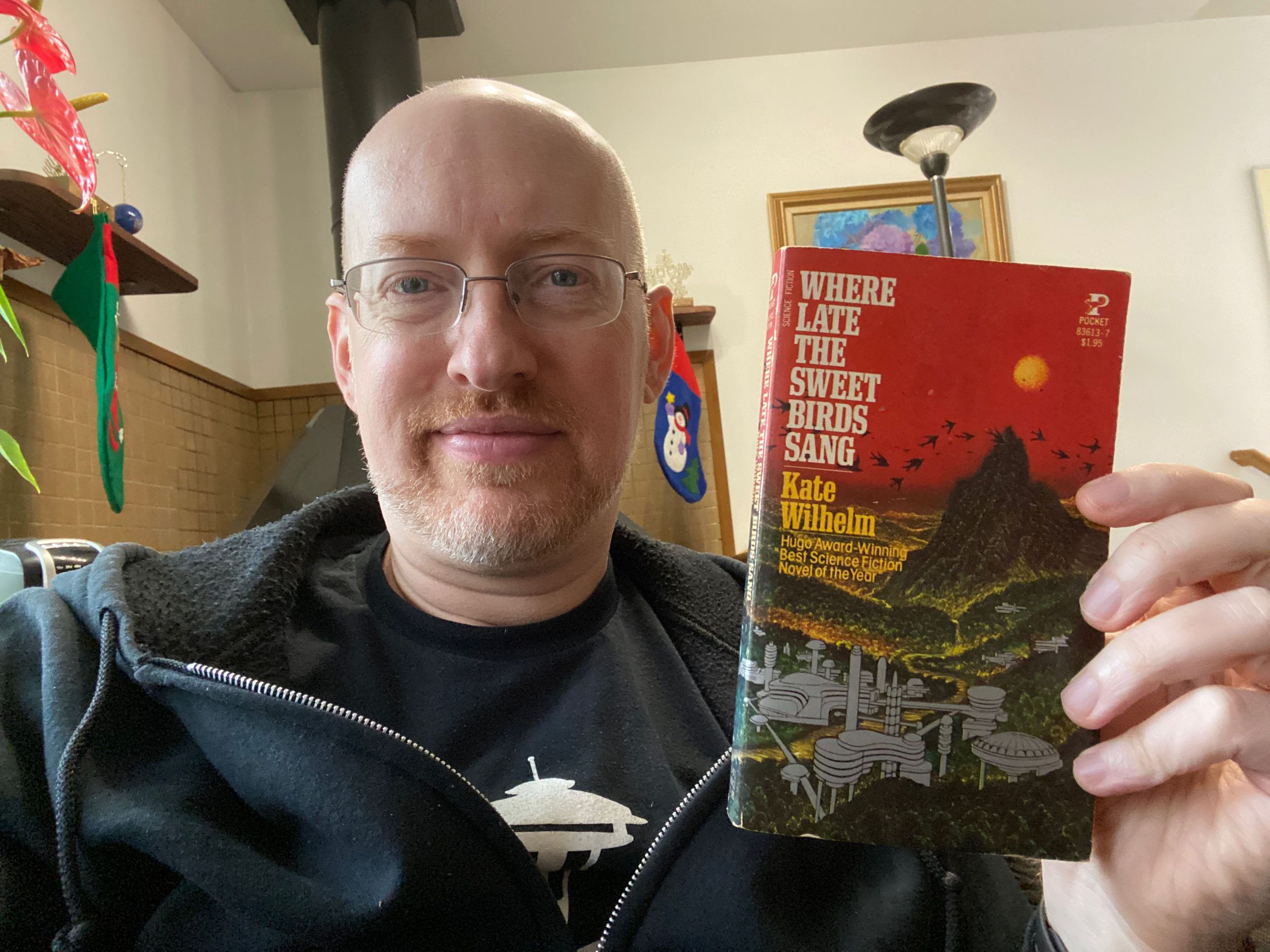
📚 51/2021: Where Late the Sweet Birds Sang by Kate Wilhelm ⭐️⭐️⭐️⭐️ 1977 Hugo Best Novel
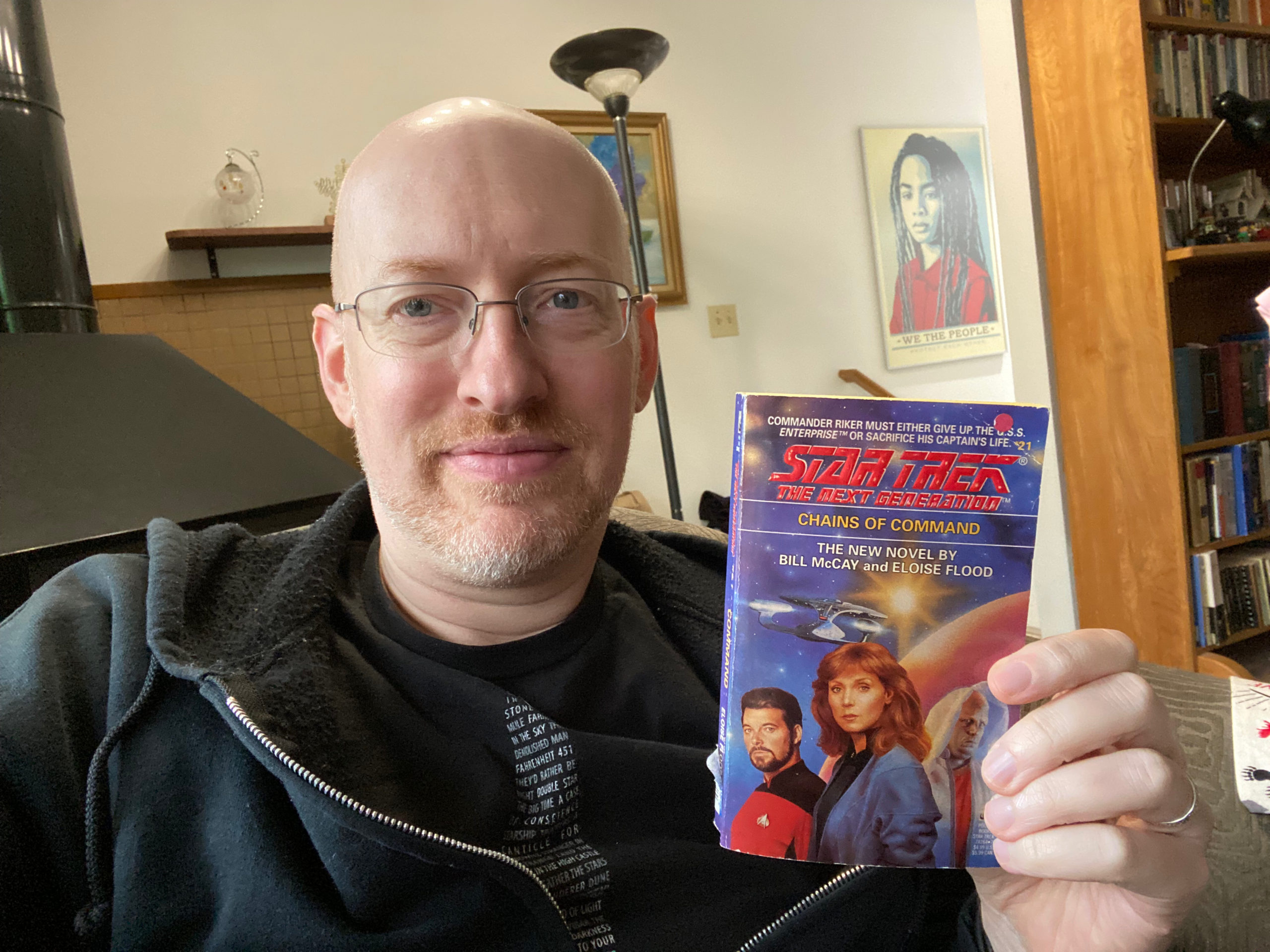
📚 50/2021: Chains of Command by Bill McCay and Eloise Flood ⭐️⭐️⭐️ 🖖🏻
📚 49/2021: The World of Science Fiction 1926-1976: The History of a Subculture by Lester del Rey ⭐️⭐️⭐️

Blog This Shortcut for iOS or macOS
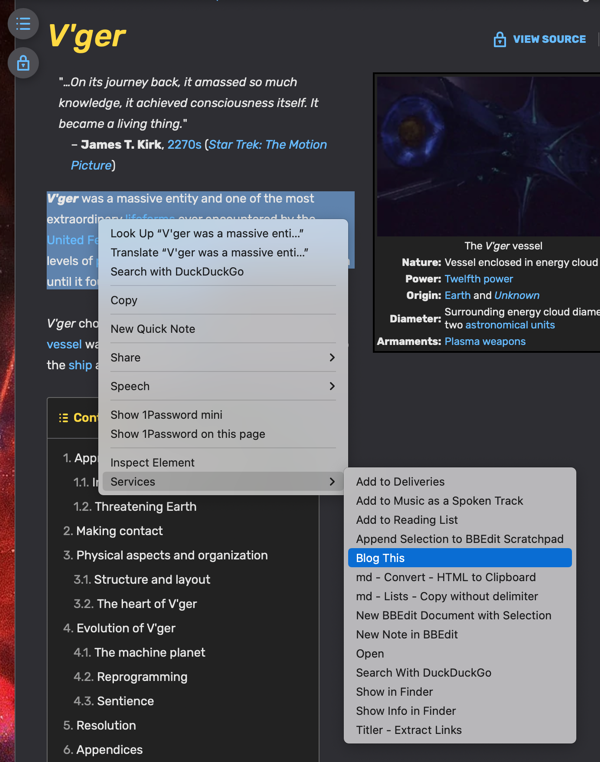
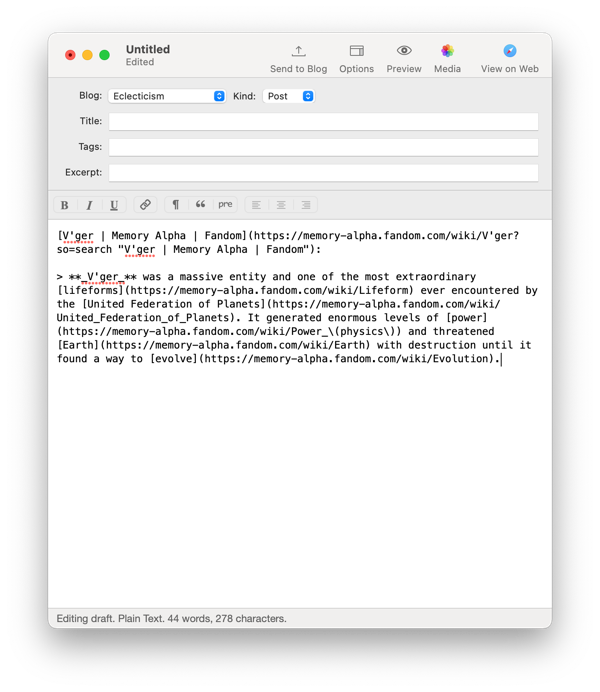
 I’ve been working for the past few days on constructing a Shortcut to use for quickly sending a link and block of text to whatever blogging software I’m using on whichever device I’m on at the moment. As of today, I’ve hit a point where it does everything I wanted it to when I started playing, so I’m designating this an official “version one” release (for posterity’s sake, I suppose I can refer to the prior two versions as the alpha and beta releases).
The Shortcut is now cross-platform, with many thanks to Jason Snell for giving me exactly the final pieces I needed.
Selecting some text on a webpage and then using the Share Sheet on iOS or the Services menu on macOS will grab the webpage link and the selected text, convert it to Markdown format, convert any relative URLs in the selected text to absolute URLs, and then place the final text into a new Ulysses sheet on iOS or MarsEdit post on macOS, all ready for any final edits before publishing to your blog.
If this shortcut might be of use to you, either as-is or with some modifications for your particular needs, download, tweak if necessary, use, and (hopefully) enjoy!