
Seattle Outtakes Pipe

Update: PI staffer Mike Thompson let me know that they’ve just enabled RSS feeds for each individual category within the Big Blog. Each category page (like this one for Seattle Outtakes, for instance) now has an RSS link right at the top of the page. Thanks, Mike!

For some time now, I’ve been following the Seattle Outtakes blog from the PI, where PI photographers would post and discuss images that didn’t make the final cut into the paper for one reason or another (and some photos that were published), along with how they got the shot, techniques, and so on. Really good stuff for a photo bug.

Sadly, Outtakes has now been absorbed into The Big Blog, the PI’s latest addition to their ever-growing linup of weblogs. I’m not sure quite why they made this decision, but I found it rather annoying. As I posted in a comment on their announcement post:

One more vote for keeping Outtakes separate — I watch this one precisely because of my interest in photography, and have really enjoyed the insights into what the PI photographers do. The Big Blog feels too unfocused in tone and too similar to too many other local ‘catchall’ blogs, and it not something I’m likely to check in with regularly…which ends up meaning no Outtakes for me. Pity.

While you can manually check the Outtakes category on The Big Blog, there’s no category-specific RSS feed provided, and there’s just way too much traffic that I’m not terribly interested in for me to bother subscribing to the RSS feed (and even if I did feel like subscribing, it appears to be an excerpts-only feed instead of a full-text feed — one more reason for me not to subscribe).

So…Yahoo Pipes to the (theoretical) rescue. I’ve not actually played with Yahoo Pipes before, but given that it allows you to perform various operations on web data, it seemed like it might be a good potential tool for attempting to regain my Outtakes fix. In theory, if I’ve done this correctly, this pipe should be a Seattle Outtakes RSS feed.

However: I don’t actually know if it’s working correctly yet, and I’m not sure how soon I will…and there’s some potential down-the-road issues with the pipe. Geeky details under the cut…

Read more

Photo Drop

Photo Drop

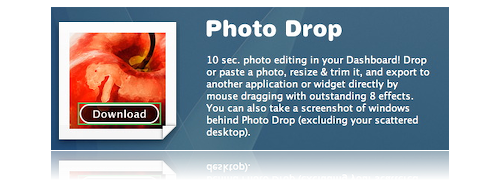
Photo Drop is a slick little Dashboard widget — actually, one of the first that was slick and potentially useful enough for me to download and toss in to my Dashboard, which isn’t exactly the most-used OS X feature on my system. It’s a nice, simple one-trick pony: drag a photo to Photo Drop, set a few quick options for the final look (size, effects, etc.), and you’re done. Plus, it’s free. Not bad!

BlueJ to Xcode translation?

Update: Never mind, ignore this post — I never even thought to check for a Mac OS X version of BlueJ. Now I just feel dippy….

Might there be anyone out there with experience developing for Java within Xcode who has a few minutes to spare helping me figure out how to translate this page into something useable on my computer? I’ve gotten as far as getting Xcode installed, but…well, after that, I’m kind of stuck, as I have no idea what the majority of what I’m looking at is, and all the documentation/help files seem to be written for people who have at least some background in programming.

I have figured out that in Xcode, choosing File > New Project… and picking Java Tool seems to be equivalent to creating a New Project within BlueJ (as outlined on the first homework assignment). However, I don’t know how to set up the class’s two required libraries as a permanent part of the Xcode enviroment (as detailed in Step 3 of the Working at Home page), so things aren’t exactly compiling. Essentially, while I know that I should be able to use Xcode to do everything that BlueJ will do, I don’t really know how concepts or methods map between the two environments — or if it’s even worth attempting. Since the whole class is going to be taught as if we’re using BlueJ, perhaps I’d be better off just sucking it up and installing BlueJ under Virtual PC (ick)?

Anyway, if anyone’s able and willing to toss a few words of advice my way, I’d greatly appreciate it. If I can’t figure out how to use Xcode within the next couple days (the first homework assignment, which proves we’re at least up and running, is due Friday), it’s going to be BlueJ under Virtual PC and/or using the computers at school for all my CSC142 homework…and that just seems like such a waste when I’ve got this shiny and perfectly capable computer right here at home!

New Header Images

Two new images for the title banner have been added to the random rotation, one from each of the last two posts. The cropped versions have been added to the end of my header images roundup (which may lose a few soon — as we move into spring, I may remove the obviously wintery choices).

Blarch Badness: Me!

Put your voting shoes on! Er…that doesn’t even make sense. Moving on…

Metroblogging Seattle is kicking off Blarch Badness today. Um, what? Blarch Badness!

As I was writing my last post, I was thinking if there were a way we could figure out what the important, meaningful, and wonderful blogs in this city were. Maybe a tournament. You know, like March Madness. Only with blogs.

Sadly, the best I could do for a name was Blorch Badness. Or Super Fantastic Mega Blogger Ultimate Supremacy Championship. I need to work on names.

But a tournament! And it will be just like March Madness, with regionals. You will get to vote on matchups between the 32 highest rated, most popular, possibly best blogs the Seattle metro area has to offer. Even the Slog (if they behave themselves). And there might even be a prize at the end. (Hey! Anyone out there want to donate a prize?)

Surprisingly enough, I made it into the opening round!

3 Seattle Daily Photo vs #6 Michael Hanscom

And finally, a battle of photographers — Kim’s daily shots of Seattle vs. the most famous camera store employee to ever be fired by Microsoft.

Admittedly, I’m not quite sure how I ended up in the West Seattle round (will I have to move if I win?) — truth to tell, I think I’ve been to West Seattle once or twice, and have only lived on First Hill and up here in Northgate — but hey, no complaints!

I should also probably make sure that I actually have a photo up here somewhere, seeing as how I’m matched up against Seattle Daily Photo (some pretty stiff competition…I might not even vote for myself!). Sure, I’ve got lots of photos in various places, but with nothing on the main page…hrm.

I know! I’ll shamelessly stoop to using a photo of Jessica Rabbit kissing Betty Boop (from last Halloween at The Vogue) to court a few votes! I’m sure that’ll work!

Betty Boop and Jessica Rabbit

In any case — check out todays round, and vote! Vote early! Vote often!

(Vote for me?)

Throwing down the gauntlet…

Bill Gates, in an interview with Steven Levy for Newsweek:

Nowadays, security guys break the Mac every single day. Every single day, they come out with a total exploit, your machine can be taken over totally. I dare anybody to do that once a month on the Windows machine.

There’s a few other doozy quotes in there as well, but that’s the one that really got my attention.

More under the jump…

Read more

4,000 Lattes…to go?

From this morning’s introduction of the iPhone, as Steve Jobs was demonstrating various features of the gadget (as reported by MacRumors):

10:27 am finds moscone west
10:27 am finds a nearby starbucks
10:27 am presses a button and calls starbucks
crowd laughs
10:27 am orders 4000 latte’s to go
10:27 am oh sorry – wrong number
10:28 am hangs up

Prank calling Starbucks live on stage at MacWorld? Nicely done, Steve! ;)

(via blog.ariffic)

Geeks and Film

Three amusing articles, all via /.:

  1. Top 20 Hackers in Film History:

    My fellow Geeks! Below you will find a list of the 20 coolest, funniest, dare I say sexiest hackers and computer geeks that have graced the silver screen. While we may be misunderstood and maligned in everyday life, geeks have always been portrayed with a certain power, mystery and intrigue in movies. Practically since the word ‘computer’ entered the American lexicon, Hollywood and the public have been fascinated with the people who make these strange electronic boxes do such cool shit.

  2. Servers in the Movies:

    There are two guidelines for this list. One, they must exist only in the world of movies or TV. Second, they need to fit the following definition: A server is a computer system that provides services or data to other computing systems—called clients—over a network or other communication device.

  3. What Code DOESN’T Do in Real Life (That it Does in the Movies):

    I understand that Hollywood needs to dress things up to make them more entertaining, but in the case of programmers, code, and hackers they’ve done more than dress things up – they’ve morphed a little stuffed teddy bear into a cybernetic polar bear covered in christmas lights and phosphorescent hieroglyphics with a fog machine pumping rainbow smoke out of his ass. In other words, they’ve layered a ridiculous amount of extravagance on top of something that in reality is very grounded.

Best Bad Review of the Zune

Andy Ihnatko does a wonderful job of slaughtering the Zune, Microsoft’s new iPod competitor…

Yes, Microsoft’s new Zune digital music player is just plain dreadful. I’ve spent a week setting this thing up and using it, and the overall experience is about as pleasant as having an airbag deploy in your face.

“Avoid,” is my general message. The Zune is a square wheel, a product that’s so absurd and so obviously immune to success that it evokes something akin to a sense of pity.

[…]

The Zune is a complete, humiliating failure. Toshiba’s Gigabeat player, for example, is far more versatile, it has none of the Zune’s limitations, and Amazon sells the 30-gig model for 40 bucks less.

Throw in the Zune’s tail-wagging relationship with music publishers, and it almost becomes important that you encourage people not to buy one.

The iPod owns 85 percent of the market because it deserves to. Apple consistently makes decisions that benefit the company, the users and the media publishers — and they continue to innovatively expand the device’s capabilities without sacrificing its simplicity.

Companies such as Toshiba and Sandisk (with its wonderful Nano-like Sansa e200 series) compete effectively with the iPod by asking themselves, “What are the things that users want and Apple refuses to provide?”

Microsoft’s colossal blunder was to knock the user out of that question and put the music industry in its place.

Ouch.

(via /.)